> For the complete documentation index, see [llms.txt](https://docs.xenioo.com/llms.txt). Markdown versions of documentation pages are available by appending `.md` to page URLs; this page is available as [Markdown](https://docs.xenioo.com/product-overview/privacy-and-security.md).
# Privacy & Security
## Privacy
As with all LINK Mobility products, we strive to uphold all legal and ethical practices when it comes to data protection and privacy. MLC holds 3 core privacy actions to help you remain compliant:
### Forget User
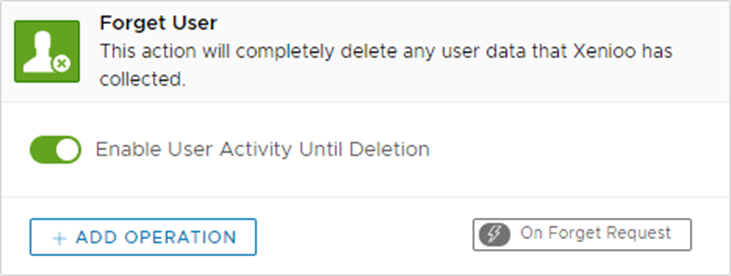
By selecting ‘forget user’ on a profile your MLC bot will completely delete all user data and conversation history it holds about that user. This is applicable across all channels.
How to forget user
### Opt-in Permissions
As with any contact made, LINK recommends best practices to seek consent from the chatbot recipient. This may be a legal or recommended requirement in your region, and we suggest that you discuss this with your LINK account manager should you have any further questions.
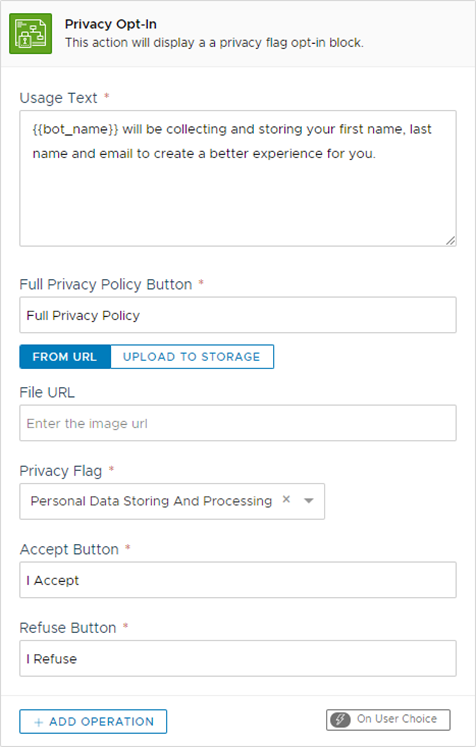
MLC hosts a specific ‘Privacy Opt-in’ feature. This is a prescribed message that states that the user’s data such as name and email will be collected to support the chatbot experience further. A button linking to a full privacy policy is also provided. Chatbot users are then able to approve or refuse the terms before proceeding.
{% hint style="info" %}
**Note:** This feature is not available for voice channels including Google Assistant and Alexa.
{% endhint %}
Privacy Opt-in Screen
### Privacy Flag Condition
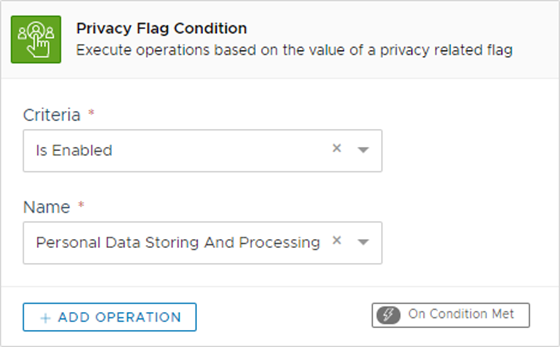
This feature will allow designers to flag users based on their preferred privacy settings and act accordingly.
{% hint style="info" %}
Note: This feature is not available for voice channels including Google Assistant and Alexa.
{% endhint %}
## Security
LINK's objective is to ensure availability, integrity, and confidentiality of our platforms.
We operate in tier-3 certified data centre's that feature redundant connectivity, restricted physical access, video surveillance, fire protection and 24/7 NOC monitoring.
We follow best practices on information security outlined by the ISO 27001 standard.